
 Star
Star Documentation
HTTP Endpoints
Point the assistant at an API you already run — describe one request and it becomes a named tool, with no code and no deploy.
HTTP Endpoints turn an API you already run into a tool. You describe one request — method, URL, headers, arguments — and it registers as a named tool the model can call. No code, no bundle, no deploy step.
This is the middle rung between the catalog and functions: more flexible than an integration we ship, and far less work than writing one. It’s also the custom tool available on every plan, including Free.
The tab
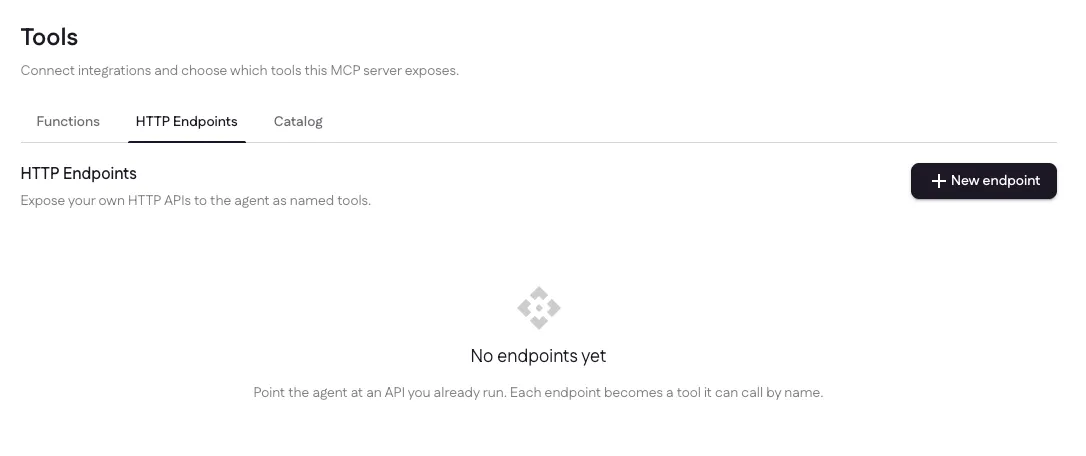
Each endpoint you add becomes its own tool, listed here with a switch and a delete. Off keeps the row and everything configured on it; Remove takes the settings with it — reach for the switch when you want the tool to go quiet, and the trash when you’re done with it.
Add an endpoint
New endpoint opens a form, with a JSON toggle in the corner for anyone who would rather write the whole config at once.
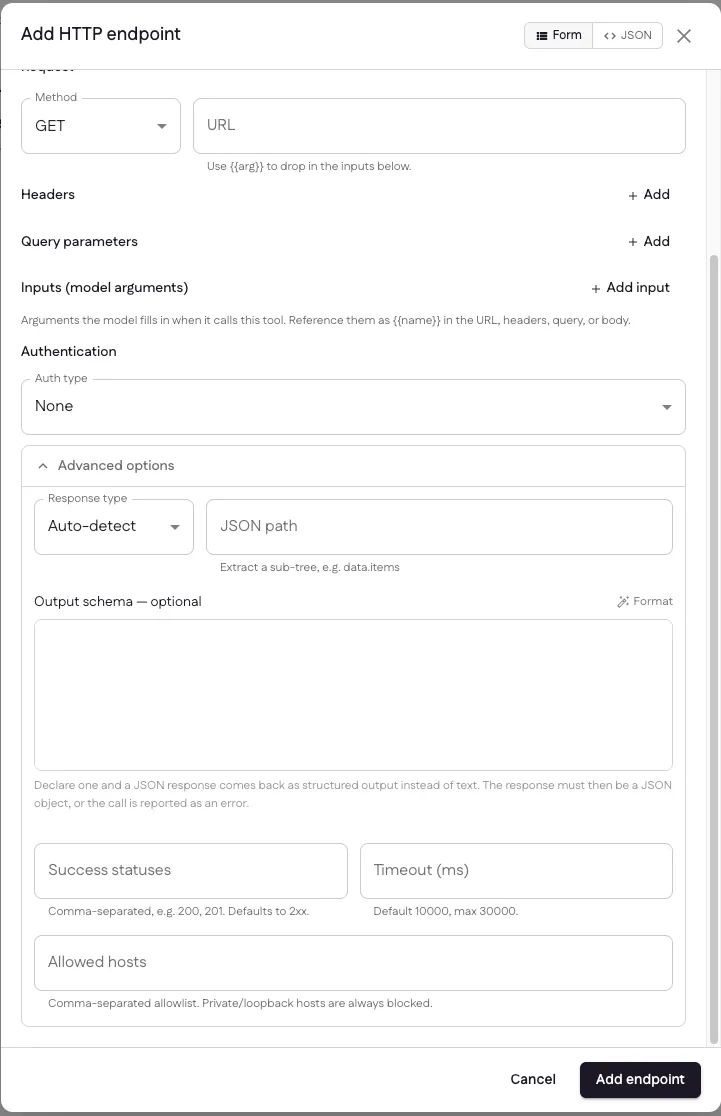
The request
- Method and URL — use
{{arg}}anywhere in the URL to drop in an input. - Headers and query parameters — fixed values, or
{{arg}}placeholders filled in at call time. - Inputs (model arguments) — what the model provides when it calls the tool. Each one gets a name, a type and a description; the description is how the model knows what to put there.
- Body — for
POST/PUT/PATCH, a template built from the same placeholders.
Authentication
Pick an auth type and the credential is stored encrypted, applied just before the request leaves, and never shown back to you or sent to the model. A bearer token, an API key header, basic auth — or OAuth, which lets an endpoint reuse an account you already connected in the catalog instead of holding a second copy of the same credential.
Advanced options
- Response type — auto-detect, or force JSON or text.
- JSON path — extract a sub-tree, e.g.
data.items, so the model gets the part it needs rather than the whole envelope. - Output schema — optional. Declare one and a JSON response comes back to the MCP client as structured output instead of text. The response must then be a JSON object, or the call is reported as an error.
- Success statuses — comma-separated, e.g.
200, 201. Defaults to any 2xx. - Timeout — default 10,000ms, max 30,000.
- Allowed hosts — a comma-separated allowlist. Private and loopback hosts are always blocked, whatever this says.
How a call runs
When the model decides to use the tool, Ganju fills your placeholders with its arguments, applies the stored credential, and makes the request from our infrastructure. The response — narrowed by your JSON path, shaped by your output schema — goes back to the model to finish its reply.
Every request is screened for SSRF, so an endpoint can never be pointed at an internal address, and rate-limited so a chatty model can’t hammer your service. Failures come back marked as errors rather than as text that happens to start with “Error”, which is what lets the model tell “the call failed” from “the answer is no”.
When to use which
| Reach for | |
|---|---|
| The vendor is in our catalog | Catalog — connect once, done |
| The vendor publishes a remote MCP server | Catalog → connect the server, and get its whole maintained toolset |
| One request against your own API | HTTP Endpoints |
| Several steps, a transform, branching, or combining a credential with logic | Functions |
Limits
Free allows 3 endpoints per assistant. Pro and Enterprise are unlimited. HTTP endpoint calls are not metered as tool calls — only dispatches into your own code are.
Last updated